Import Wizard is ACER's highest-performing user flow
Import Wizard is ACER's highest-performing user flow
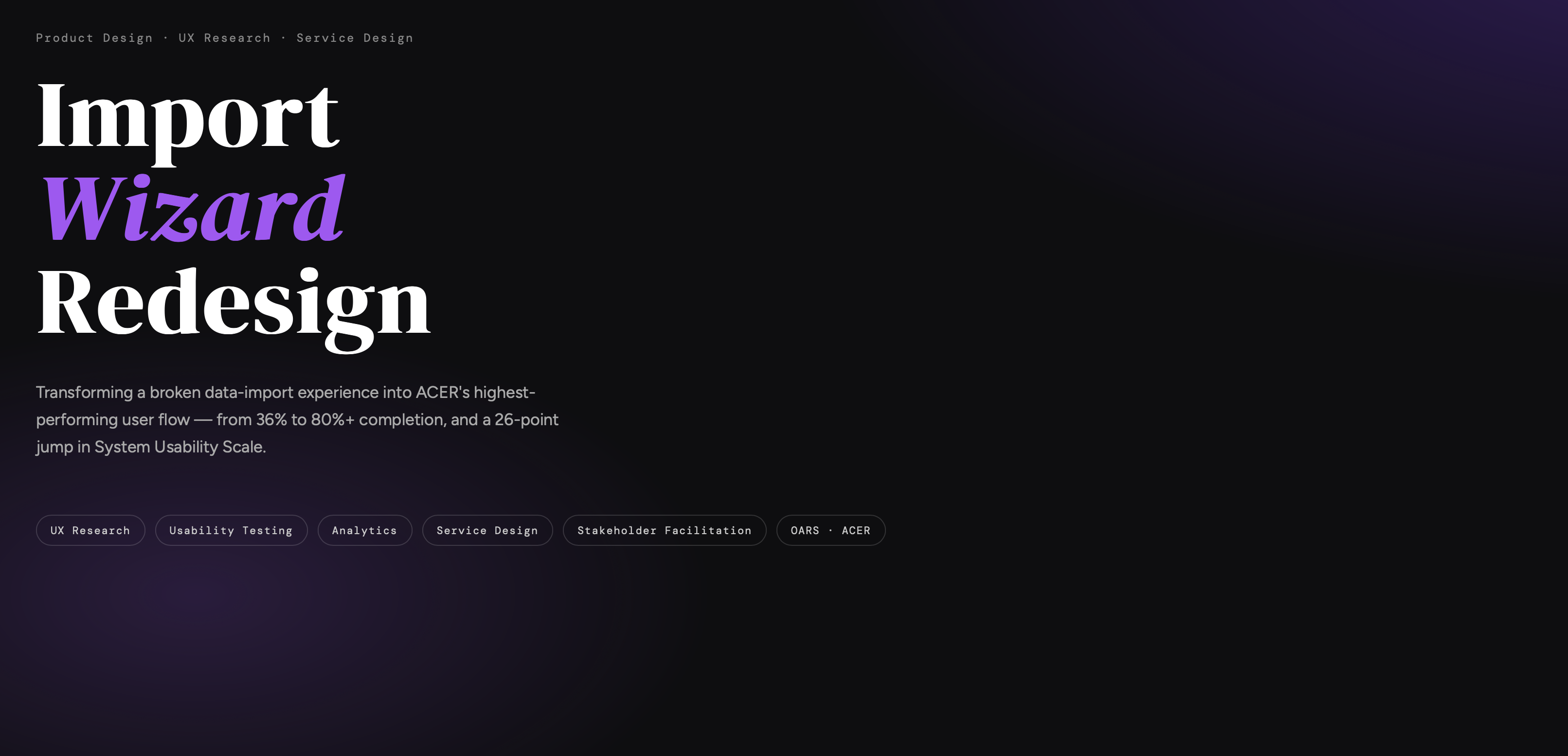
ACER's Import Wizard, the core mechanism for schools to bulk-upload candidate data was redesigned by engineering without UX involvement. After launch, the School Support team was overwhelmed with queries. I was brought in as Senior Product Designer to investigate, own the resolution, and prevent recurrence.
Four failure modes, one broken flow
The platform faced compounding usability failures that directly impacted trust, adoption, and operational efficiency across ACER's school clients
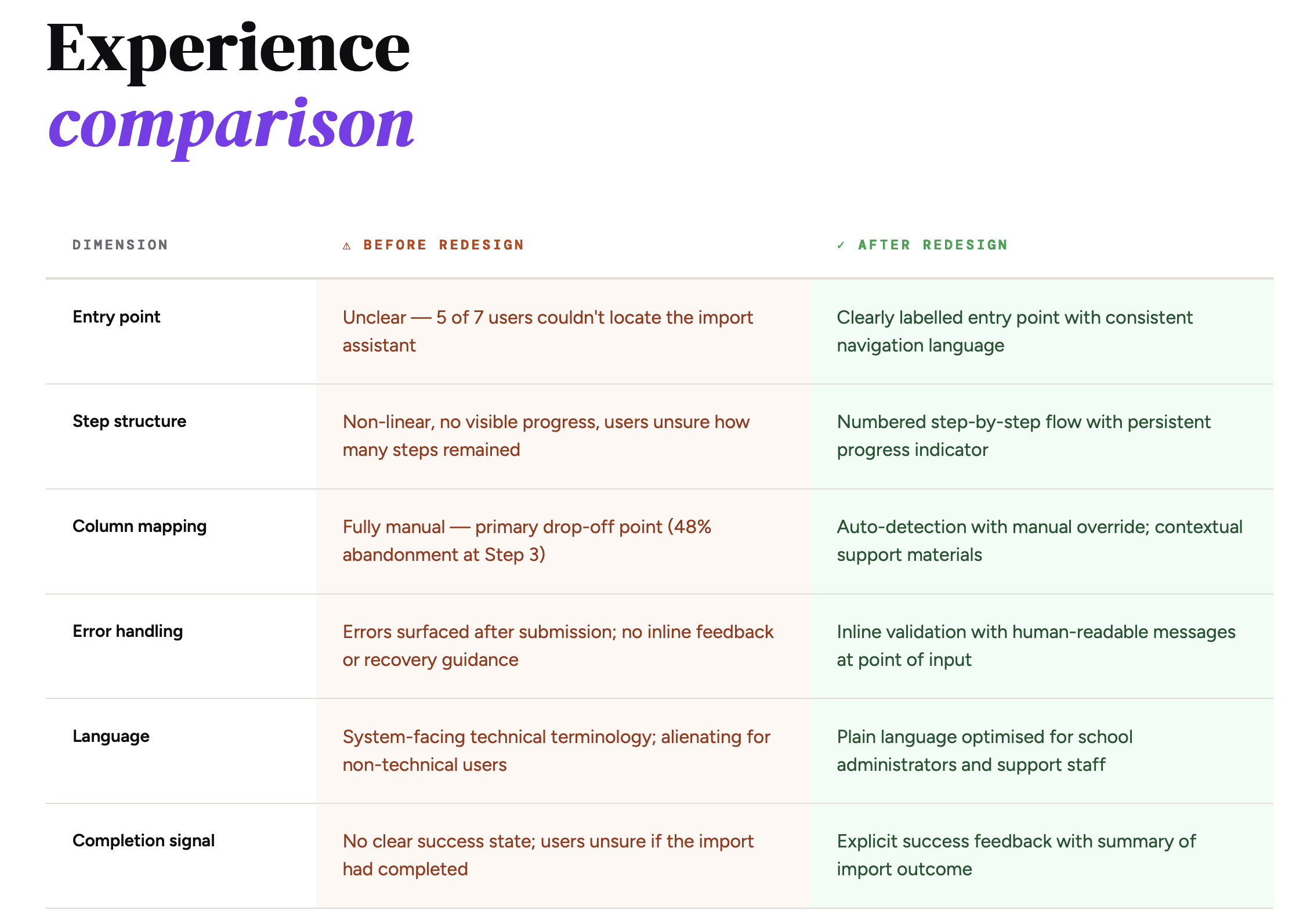
Users had no clear guidance on expected CSV format, leading to repeated failed import attempts and frustration before even reaching Step 1.
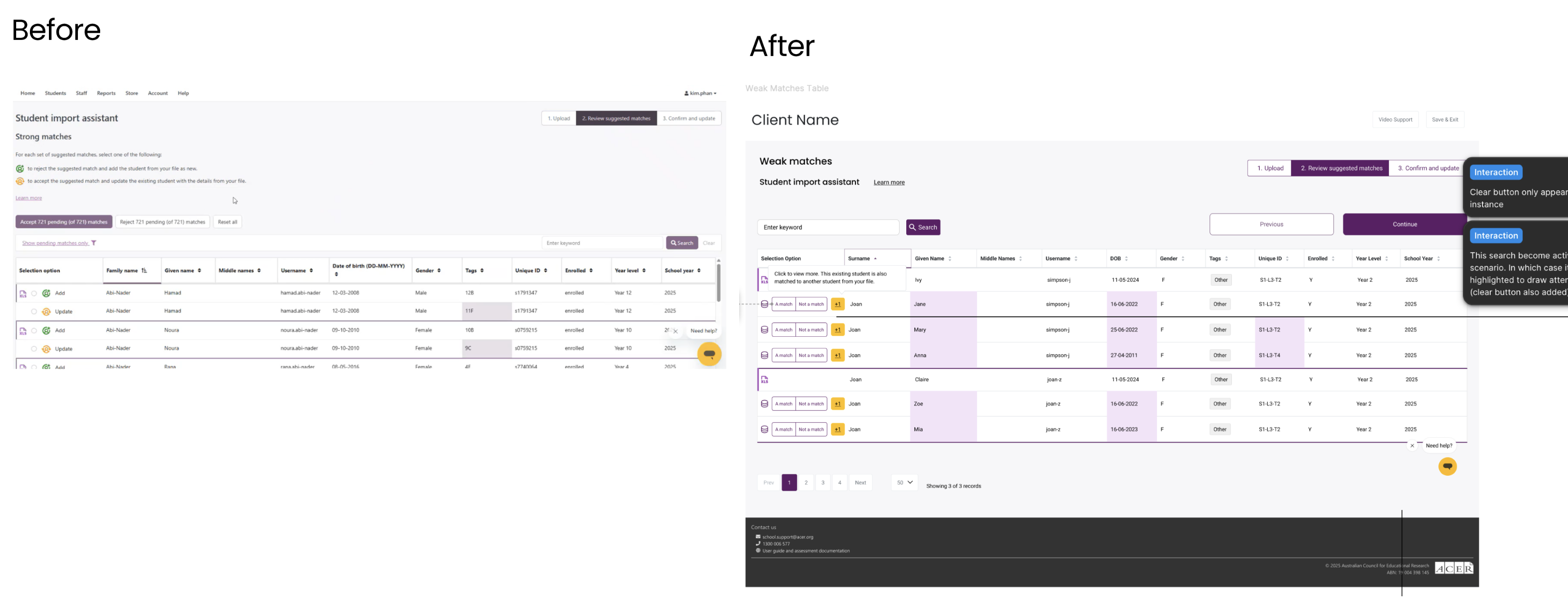
The data matching step required users to manually map spreadsheet columns to OARS fields — with no auto-detection, no contextual help, and ambiguous iconography.
There was no clear indication of where users were in the process, how many steps remained, or whether their actions had succeeded.
System-facing terminology throughout the wizard alienated non-technical school administrators and school support staff who were the primary users.
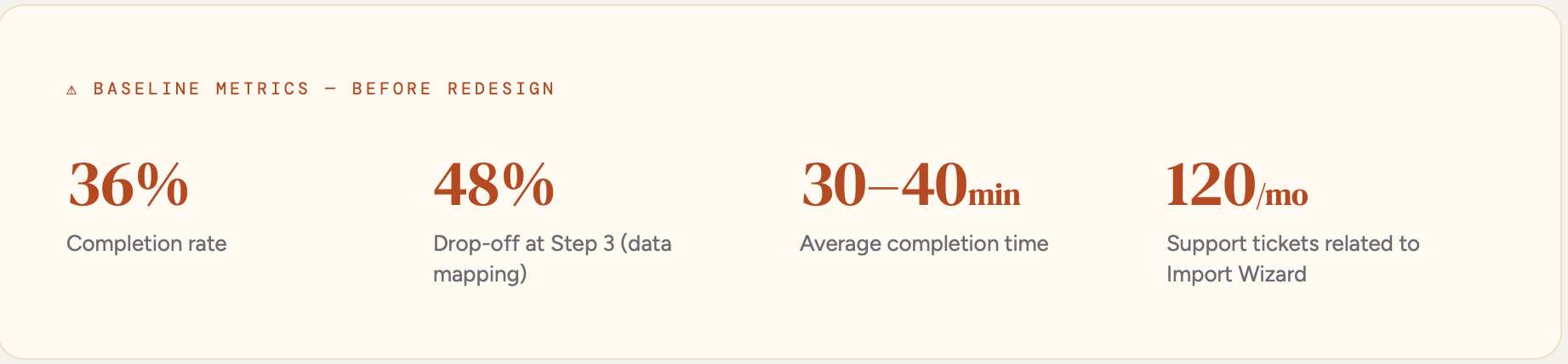

Mapped exactly where users were dropping off in the existing wizard. The data confirmed Step 3 (data mapping) as the primary failure point, with a 48% drop-off rate — users were abandoning mid-task, not at the start.
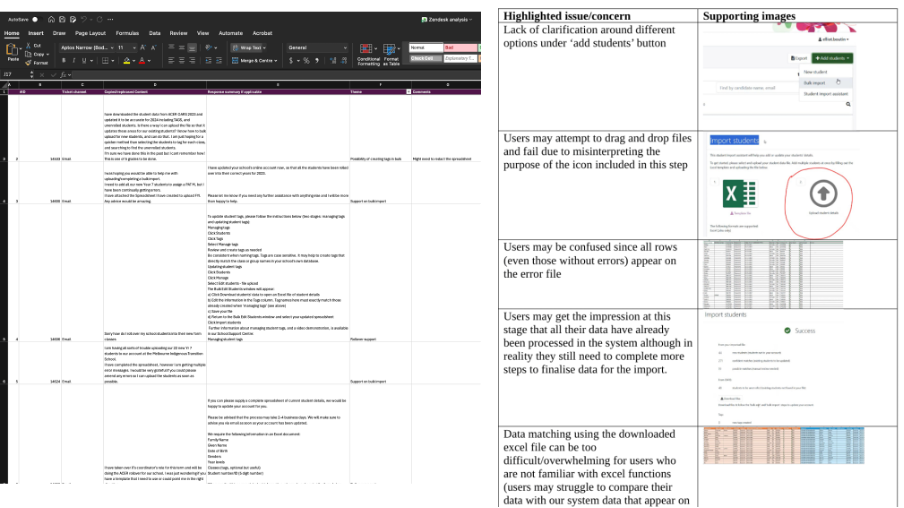
Analysed 120+ monthly support tickets to identify recurring failure patterns. This gave direct signal on what users were trying to do when they got stuck — and what language and concepts were causing confusion.
Conducted an end-to-end walkthrough of the existing wizard, documenting every point of confusion, ambiguous action, and inaccessible interaction against established usability heuristics.
Ran moderated usability sessions with 7–9 participants including teachers and school administrators. Identified critical navigation failures, icon confusion, and conceptual mismatches in the data matching flow.
Translated research findings into a redesigned step-by-step flow — simplifying structure, language, and visual feedback. Partnered with Product, Engineering, and Customer Support across the design QA process.
Re-ran usability sessions with a new cohort to validate design decisions against the same task set. Measured perceived task difficulty, task success rate, and error rate — demonstrating clear improvement across all dimensions.

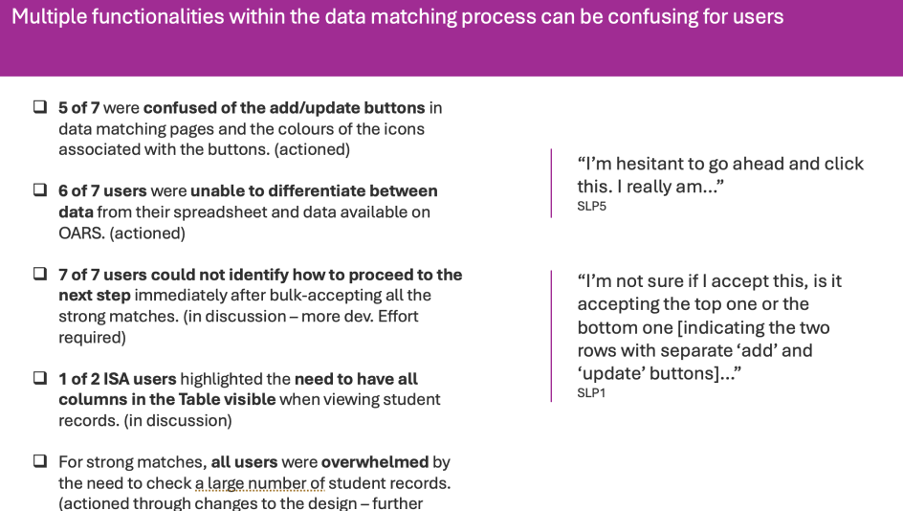

Every design decision was anchored to a specific research finding. The solution was not a visual refresh — it was a structural reimagining of the entire flow.
Converted the wizard into a clear, sequenced multi-step experience with persistent progress indicators and success feedback at each stage.
Introduced intelligent column mapping to reduce manual effort and eliminate the primary source of user error at Step 3.
Real-time validation at input level, with clear human-readable error messages — preventing downstream failures before submission.
Contextual, downloadable templates embedded within the wizard to remove pre-import confusion about data formatting.
Clear visual feedback at each completed step, with a confirmation state at the end to reinforce task completion confidence.
Plain-language rewrites of all system-facing copy throughout the flow, optimised for non-technical school administrative staff.